AI Chat
🔥 This feature is currently considered experimental. Try it out and give feedback by reporting bugs and suggesting new features. It’s not recommended for production use.
👥 This feature is available to all users.
This page explains how end users can use the AI Chat view in Obeo Enterprise for SysON. This feature may or may not be available to you depending on how the server is configured by your administrator. The actual behavior of the AI agent may also heavily depend on which version of which model is configured by your administrator.
If available, this feature is available through the AI view on the right side of the workbench:
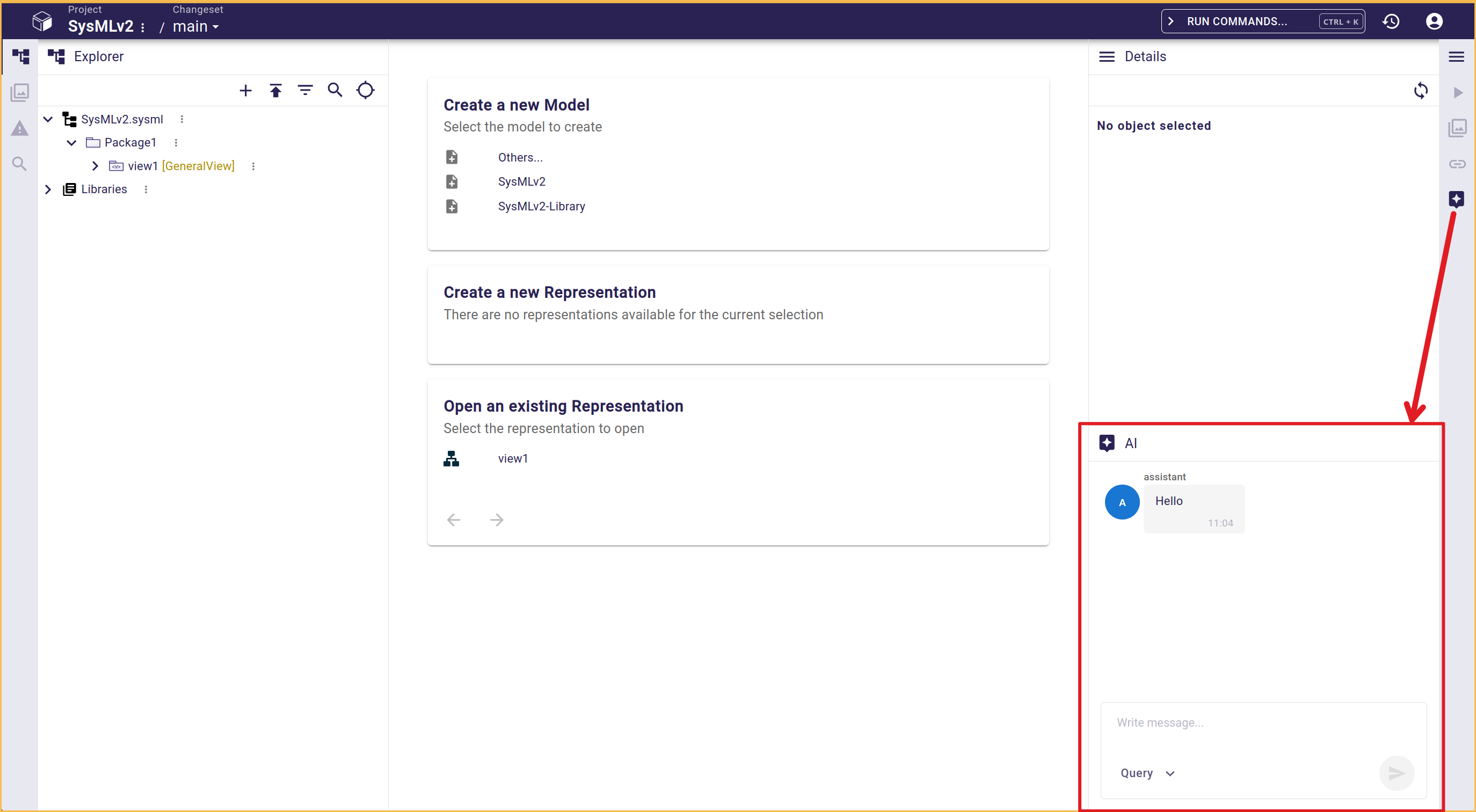
Here you can have a conversation with the configured AI agent to ask questions and request modifications inside the project.
By default, the conversation is in Query mode, where you can ask questions to the agent but it will refuse to perform any changes in your model. Use the conversation mode selector at the bottom of the chat view to switch between Query mode and Edit mode:
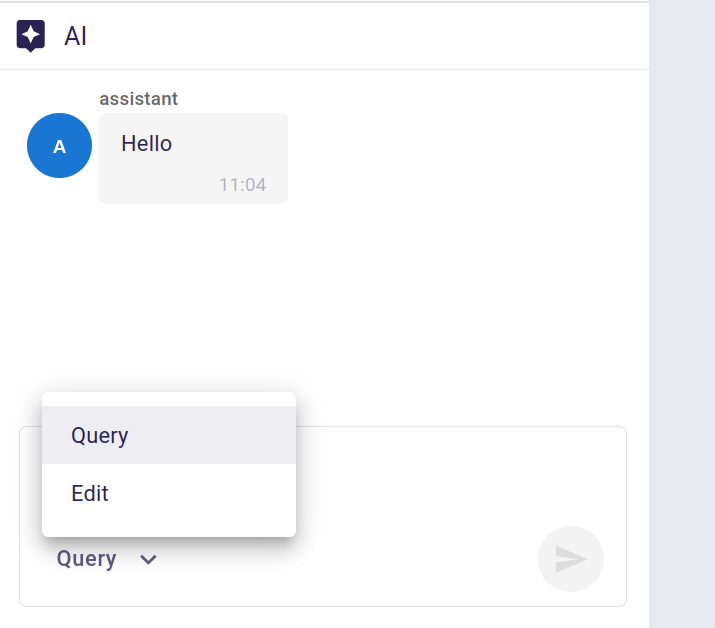
When in Edit mode, the agent is allowed to perform changes in your project It may ask for your confirmation depending on the request, for example when it needs clarifications or for you to choose between multiple options. The agent works on your behalf, and is allowed to perform exactly the same kinds of changes you would perform manually in the scope of the project.
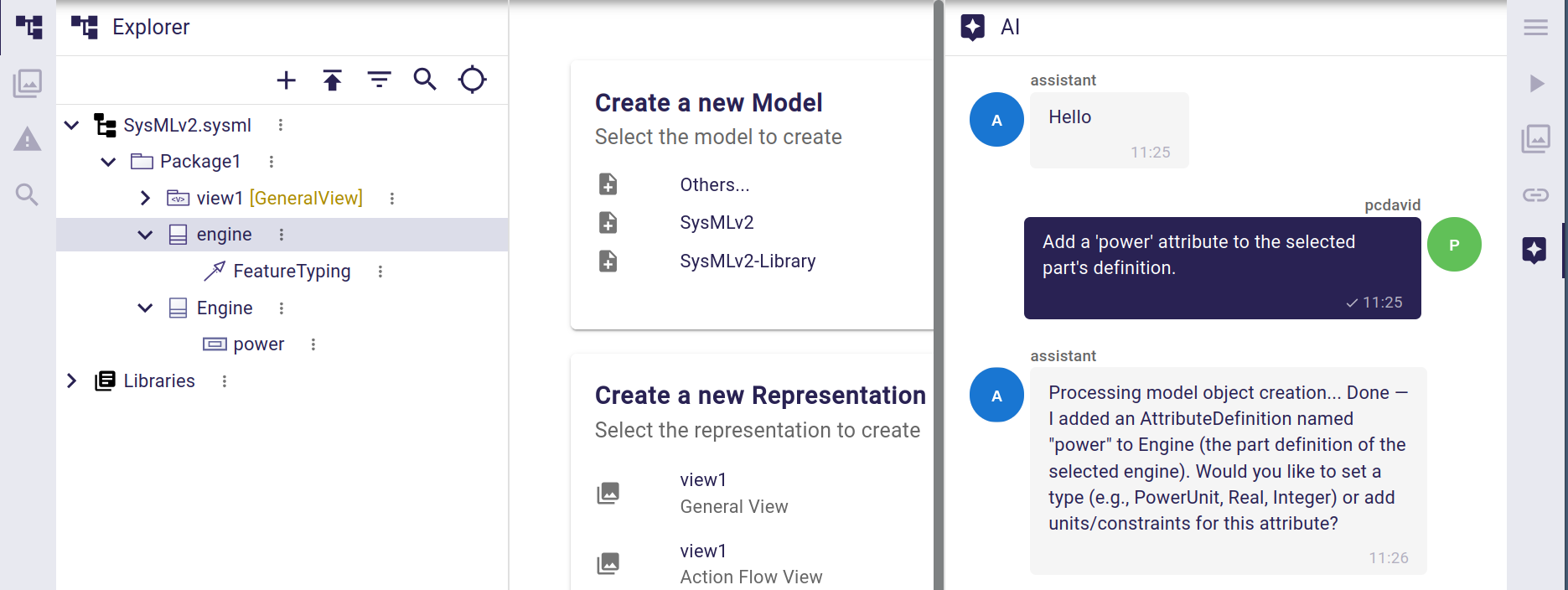
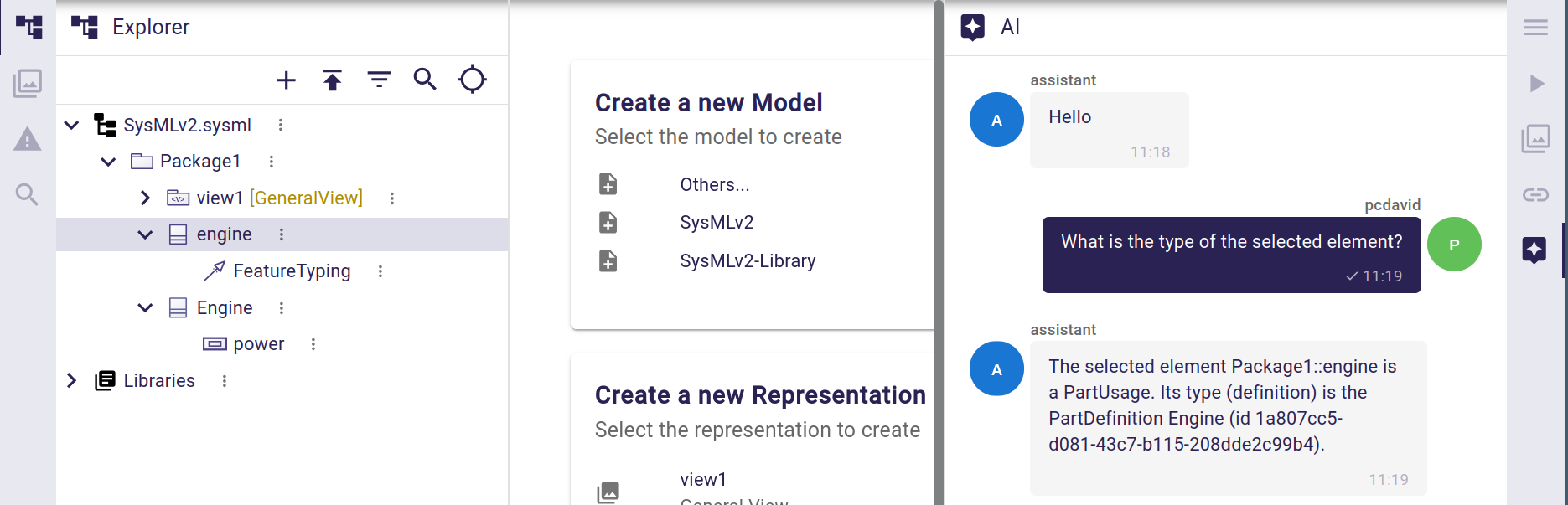
The agent knows about which elements are currently select on the workbench, and which diagram is currently opened (if any). You can refer to these in your requests:
When issuing a request to the agent, you should see an immediate response in the form of an initially empty "bubble" indicating the request has been received and the agent is "thinking".
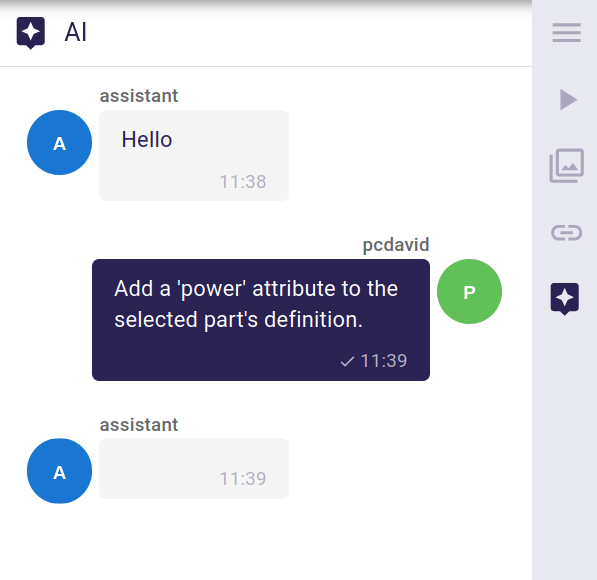
The agent’s response will automatically be filled with the agent’s response once it is received (which can take a while depending on the complexity of the query and the actual LLM configured).