Debug Elasticsearch integrations
Kibana is a convenient, browser-based dashboard provided with Elasticsearch that can help diagnose indexing issues. This guide walks through running a local Elasticsearch + Kibana stack, inspecting indices, and running queries.
1. Prerequisites
Ensure Elasticsearch runs locally and Sirius Web points to it. To start a development instance quickly:
curl -fsSL https://elastic.co/start-local | shAlternatively, use Docker:
mkdir -p VOLUME_PATH_ON_YOUR_COMPUTER
chmod 776 VOLUME_PATH_ON_YOUR_COMPUTER -R

docker pull elasticsearch:VERSION
docker network create elastic
docker run -d --name elasticsearch -m 2g --net elastic -p 9200:9200 -p 9300:9300 -e "discovery.type=single-node" -v VOLUME_PATH_ON_YOUR_COMPUTER elasticsearch:VERSION
Limit the memory with -m 2g (or adjust) to avoid Elasticsearch hogging the host resources.
Reset the password for the elastic user:
docker exec -it elasticsearch /usr/share/elasticsearch/bin/elasticsearch-reset-password -u elasticRetrieve the Kibana enrollment token:
docker exec -it elasticsearch /usr/share/elasticsearch/bin/elasticsearch-create-enrollment-token -s kibanaCopy the Elasticsearch certificate:
docker cp elasticsearch:/usr/share/elasticsearch/config/certs/http_ca.crt .Test the connection with:
curl --cacert PATH_TO_THE_CERTIFICATE/http_ca.crt -u "elastic:PASSWORD" https://localhost:9200Start Kibana:
docker pull kibana:VERSION
docker run -d --name kibana --net elastic -p 5601:5601 kibana:VERSION
Retrieve the verification code:
docker exec -it kibana /usr/share/kibana/bin/kibana-verification-codeOpen http://localhost:5601/ and use the enrollment token + verification code to connect Kibana and Elasticsearch.
If needed, trust the Elasticsearch certificate in the JVM keystore so Sirius Web can connect:
sudo keytool -J-Duser.language=en -import -trustcacerts -alias elasticsearch-siriusweb -keystore PATH_OF_THE_JVM/lib/security/cacerts -file PATH_TO_THE_CERTIFICATE/http_ca.crt|
Unless you changed it, the default Java keystore password is |
Configure Spring afterwards:
spring.elasticsearch.uris=https://localhost:9200
spring.elasticsearch.username=elastic
spring.elasticsearch.password=<Your password>
Or pass equivalent command-line arguments:
--spring.elasticsearch.uris=https://localhost:9200
--spring.elasticsearch.username=elastic
--spring.elasticsearch.password=<Your password>
2. Inspect index contents
Open http://localhost:5601/, then use Elasticsearch → Index Management.
Each Sirius Web project has its own index named project-<Project ID>.
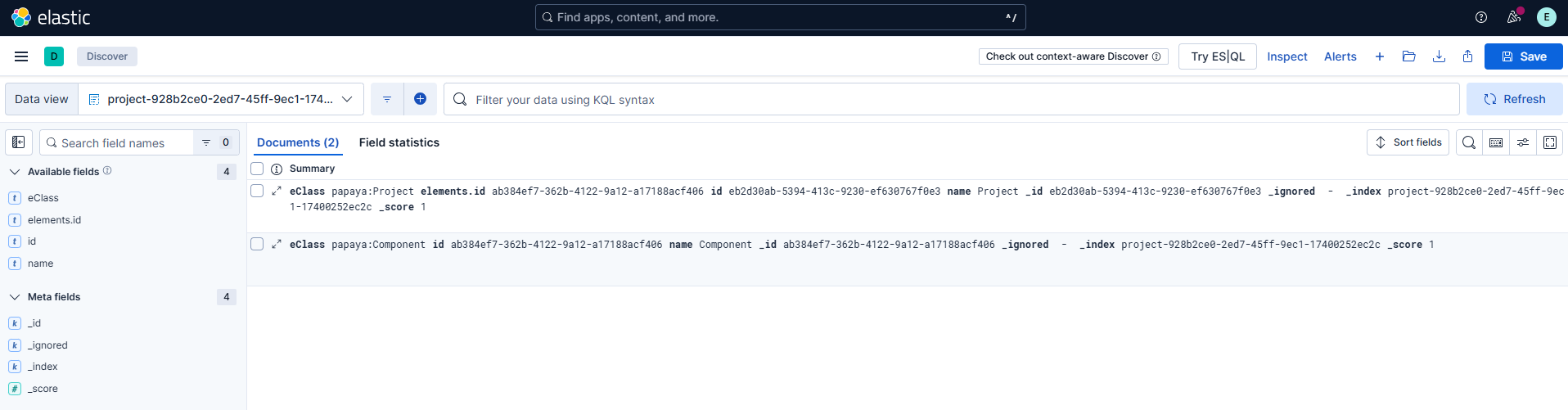
Select an index to see metadata (size, document count) and click Discover index to list the stored documents.
|
The discover view shows at most 500 documents. Use filters or the query console (below) for more advanced queries. |
3. Run queries
Most Kibana pages expose a Console panel at the bottom. Use it to execute full-text searches, JSON-based Query DSL, or ES|QL and see matching documents on the right.
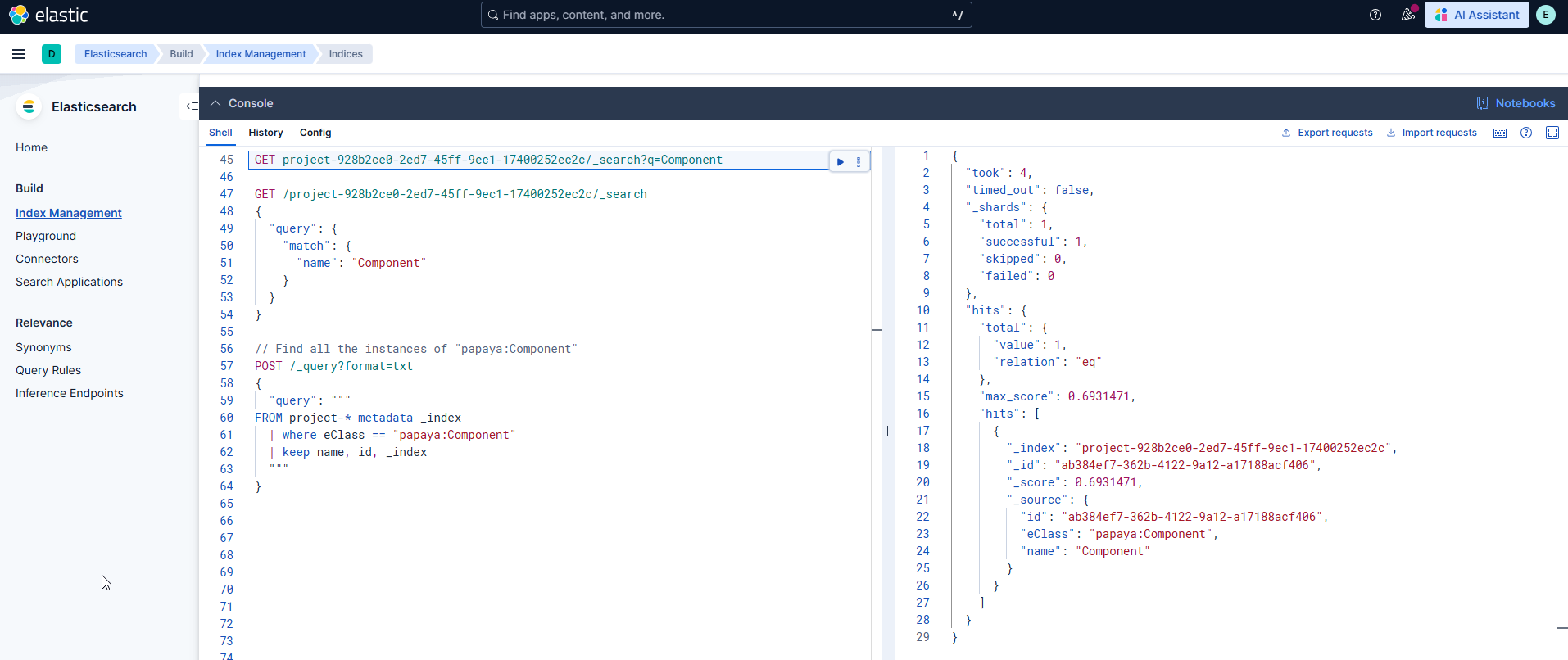
Examples:
Full-text search
GET project-<Project ID>/_search?q=Component
Query DSL
GET /project-<Project ID>/_search
{
  "query": {
    "bool": {
      "must": [
        { "wildcard": { "name.keyword": "Compo*" } },
        { "match": { "eClass": "papaya:Component" } }
      ]
    }
  }
}
ES|QL with wildcard index:
POST /_query?format=txt
{
  "query": """
    FROM project-* metadata _index
    | where eClass == "papaya:Component"
    | keep name, id, _index
  """
}
ES|QL join between references:
POST /_query?format=txt
{
  "query": """
FROM project-<PROJECT ID>
  | where eClass == "papaya:ReferencingLink"
  | rename target.keyword as id.keyword
  | lookup join project-<PROJECT ID> on id.keyword
  | keep name
  """
}
4. Data structure of indexed documents
Sirius Web’s default implementation stores each EObject in its own document.
These documents are simplified EMF JSON structures: they omit wrapper objects (like data/content) and denormalize references to contain only the IDs of referenced objects.
Example: a Papaya Interface indexed in Elasticsearch.
{
  "eClass": [ "papaya:Interface" ],
  "eClass.keyword": [ "papaya:Interface" ],
  "extends": [ "e14f532d-256c-4da9-8173-1912e0bdb296" ],
  "id": [ "7432d199-8bca-4b90-b3d2-2ab8b30b0a98" ],
  "name": [ "Interface2" ]
}