Key concepts and terminology
Read this to get a comprehensive exploration of the fundamental principles that shape the capability of Sirius Web offering essential insights into its core foundations.
1. Domain
Studio makers start by defining a domain: the semantic backbone that captures every business concept, attribute, and relationship.
For example, a transportation domain might include entities such as Vehicle, Engine, and Wheel with properties like speed, energyType, or numberOfWheels.
Sirius Web provides a dedicated Domain language so you can author these concepts directly in the browser, and it can also ingest existing Ecore models (metamodels) created for Sirius Desktop or other EMF-based tools. Accurate domains require strong business knowledge, because every representation and tool depends on them.
2. Project
In Sirius Web, a Project serves as a high-level container that organizes models. You can use projects to group models, providing a structured and efficient way to manage your content.
|
It’s important to note that creating sub-projects within a project isn’t supported. |
|
All models exist at the same level within a project. |
This design ensures simplicity and clarity in organizing and accessing your models, fostering a straightforward and intuitive project management experience.
|
In Sirius Web, projects are public. Public projects are visible by everyone. |
3. Model
In Sirius Web, a model represents a structured set of data that conforms to a domain defined by the studio maker. It consists of instances of the semantic concepts described in the domain (e.g., components, connections, states) and is manipulated by end users through graphical or form-based representations. The model is the core artifact that captures the knowledge, structure, or behavior of the system being described.
4. Data
Data refers to the instances created by end users from the domain concepts.
Because the domain constrains structure and relationships, the data remains semantically consistent—users can only create valid combinations (e.g., a Vehicle instance with an appropriate Engine and four Wheels).
5. Representation
In the context of Sirius Web, a representation serves as a visual or form-based interface that allows end users to interact with the data in a model. It provides a specific view on the model, specific to a particular task, role, or perspective. Representations can take the form of diagrams, tables, or forms, and are defined by studio makers in the view specification. They determine how model elements are displayed, arranged, and edited.
Studio makers define representations using the View language in Sirius Web. They configure:
-
Descriptions : Which domain elements are displayed (e.g., a Component as a node)
-
Styles : Shape, color, icons, and layout rules
-
Tools : Actions such as creation, deletion, or drag-and-drop
-
Filters : Mechanisms to adapt the display to user needs
Representations can also include conditional styles, visibility rules, and computed labels based on model attributes.
Examples of representations include:
-
A form for technical specifications,
-
A component diagram showing sub-parts,
-
A cabling diagram for electrical layouts,
-
A form to capture maintenance reports.
6. Description
A description defines how a specific domain concept is projected into a representation. It acts as a bridge between the semantic model (the data defined in the domain) and the visual or structural representation (what the user sees in diagrams, forms, or tables).
Descriptions specify:
-
What to display: which domain elements are eligible (e.g., show all Component instances)
-
Where to display them: for example, as top-level nodes or nested within other elements
-
How to identify them: using conditions or queries (e.g., “only show components with type = 'sensor'”)
Each description is associated with a type of representation element, such as:
-
Node descriptions: to display semantic elements as shapes in diagrams
-
Edge descriptions: to show relationships (e.g., connectors or dependencies)
-
…
Descriptions can be hierarchical and reused, allowing representations to reflect complex domain structures.
7. Style
A style controls the visual appearance of elements in a representation. It is attached to a description and determines how each instance of a mapped element should look.
Styles define:
-
Shape or image : rectangle, ellipse, icon, label-only, etc.
-
Color : fill, border, text color
-
Label : text displayed, possibly computed from model attributes (e.g., name, status)
-
Font : size, weight, and alignment
-
Images : for domain-specific icons or symbols
Styles can also be conditional, meaning their appearance dynamically adapts based on the values of attributes in the model.
This allows studio makers to:
-
Emphasize certain states (e.g., errors, warnings, critical paths)
-
Encode business logic visually
-
Improve readability by drawing user attention to relevant elements
In Sirius Web, styles make representations expressive, helping users quickly interpret model content visually.
8. Tool
A tool defines an interaction that users can perform on the model via a representation. Tools are attached to a representation and are typically invoked through the UI (palette, context menu, keyboard shortcut, etc.).
Tools include:
-
Creation tools: to add new model elements (e.g., “CreateComponent”)
-
Deletion tools: to remove elements
-
Edition tools: to update attributes or relationships
-
Reconnect tools: to change links between elements
-
Navigation tools: to open other representations
-
Custom tools: for domain-specific actions (e.g., “Deploy toSubsystem”)
Each tool may consist of:
-
A trigger: how the user activates it
-
A target description: where it applies
-
A behavior: defined using model operations (create, set, delete) and optionally extended with expressions or Java services
Tools are essential to making representations interactive and task-oriented for end users.
9. Library
In Sirius Web, a Library is a read-only snapshot of a project that may be referenced by other projects or libraries.
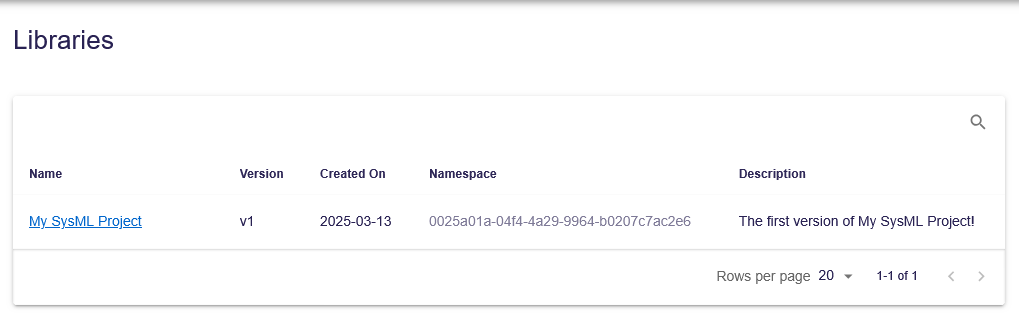
Published libraries have a namespace, name and version. Once a library has been published, it cannot be unpublished. It is also not possible to overwrite an existing library. Several libraries may have the same name (and version) provided they are from different namespaces.
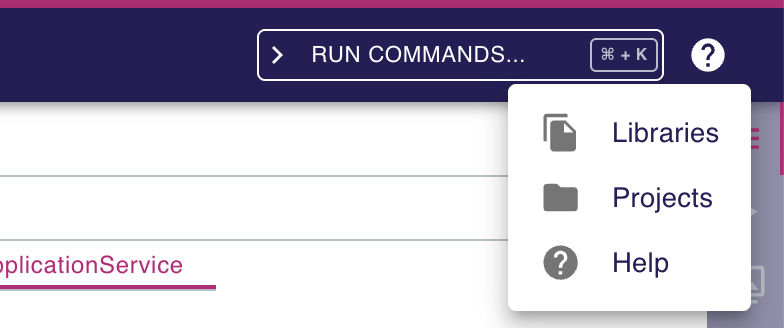
The list of published libraries in Sirius Web is available at <baseUrl>/libraries/.
This page is also accessible from the 'help' menu in the top right corner of the application.
This page lists all the libraries published in the application.
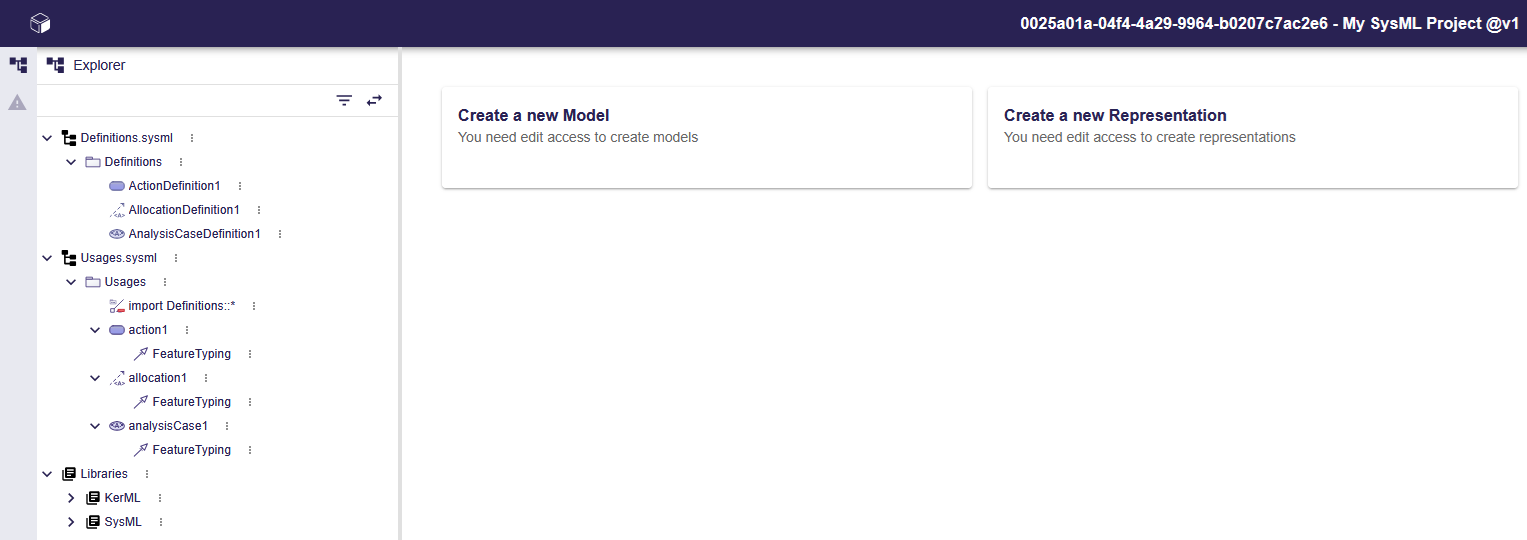
Opening a library displays it as a read-only project.